Self-Host an AI Terminal You Can Use From Anywhere
Most "self-host an AI" posts stop at the LLM. This one covers the whole stack — an agent, a shell, an SSH client, and a URL you can open from your phone.
Search "self-host AI terminal" and the results are mostly about running models locally: Ollama, LocalAI, LM Studio, llama.cpp. Great — but a model isn't a terminal. Nothing on the first page of Google is actually an agentic shell you can reach from a browser.
That's what this post is. One server, one install, an agent that can SSH, edit files, run processes, search the web, and survive your mobile network dropping. Reachable from any device with Safari or Chrome.
The stack
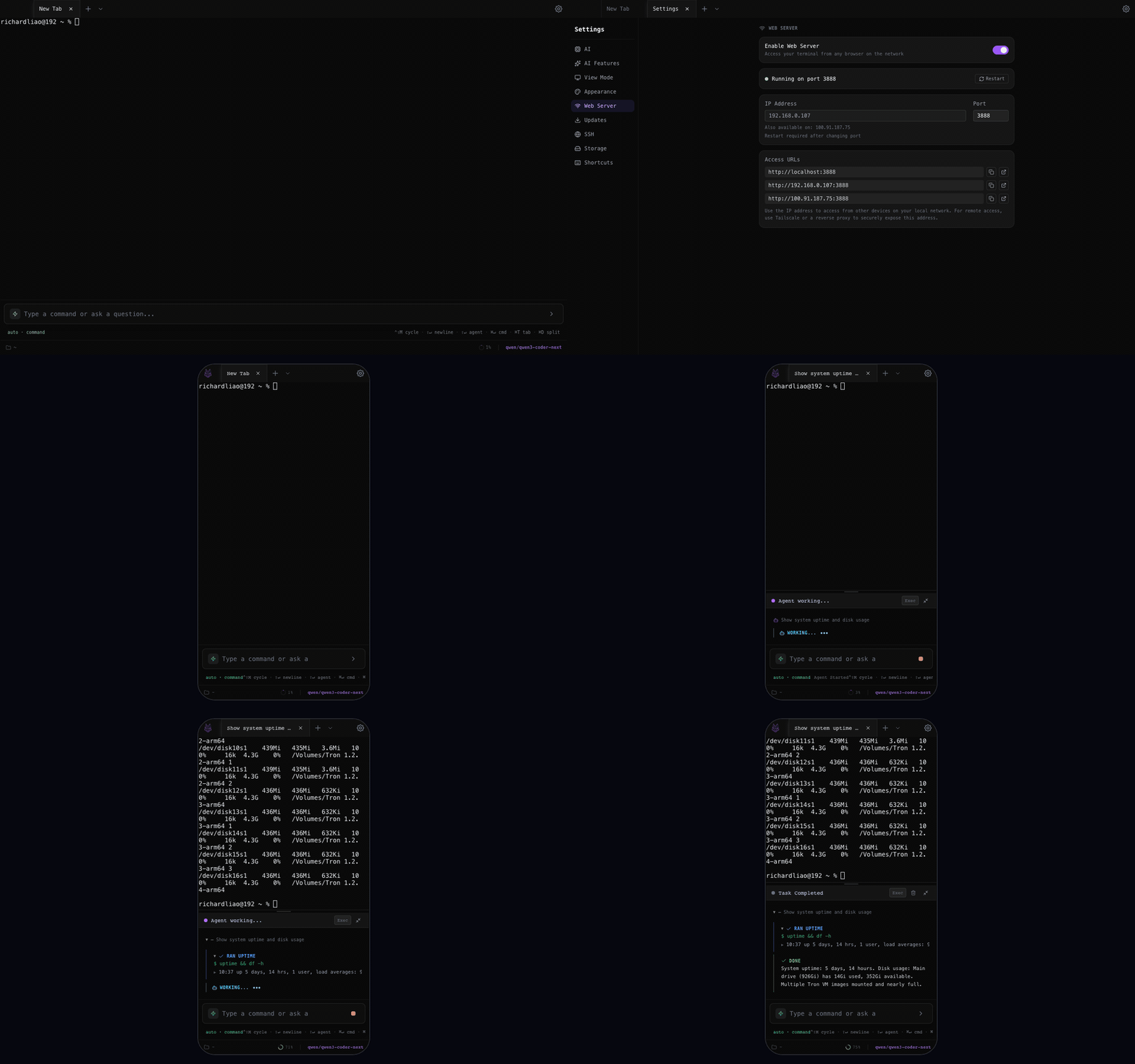
- Tron web server (the terminal + agent loop).
- Ollama on the same box (optional — for fully offline agent work).
- Caddy in front, for TLS. Or skip TLS and use Tailscale.
- Tailscale / Cloudflare Tunnel for access outside your LAN without opening a port.
Install Tron
git clone https://github.com/Shadowhusky/Tron.git
cd Tron
npm install
npm run build:web
npm run start:web   # binds 0.0.0.0:3888 (local mode by default)
Three deploy modes are built in:
- local — default, allows local PTY + SSH.
-
gateway —
TRON_MODE=gateway. Blocks local PTYs; only SSH sessions. Useful when the box is a bastion and you don't want anyone to shell-out to it directly. - demo — client-side only, simulated terminal. For the marketing site.
Add Ollama on the same box
curl -fsSL https://ollama.com/install.sh | sh
ollama pull qwen2.5-coder:7b
ollama pull llama3.1:8b
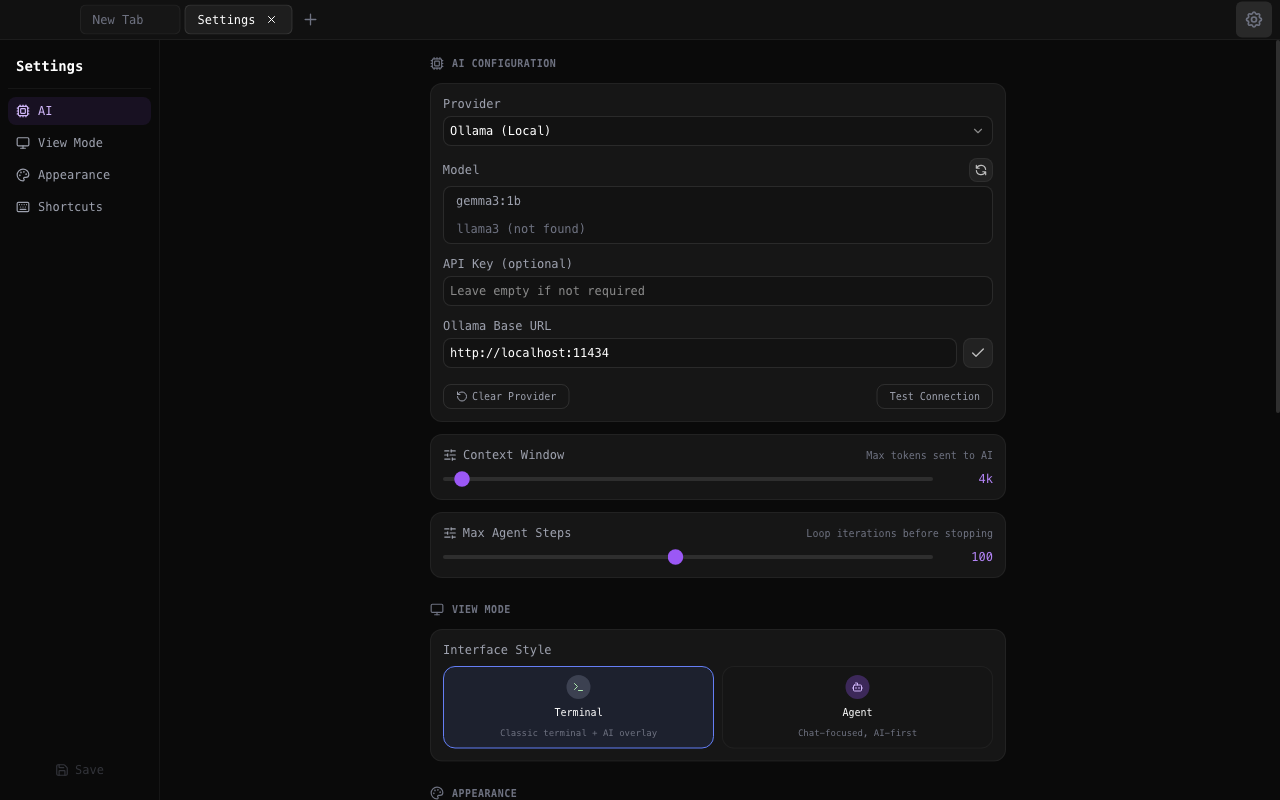
In Tron's Settings > AI, switch provider to Ollama and set base
URL to http://localhost:11434. The agent loop now
never leaves the machine. Good enough for routine
"run-this-script, fix-this-config" work; a larger model (Qwen
2.5 Coder 14B/32B if you have the VRAM) handles multi-step tasks
more reliably.
TLS with Caddy
If you own a domain, this is two lines in a Caddyfile:
tron.example.com {
    reverse_proxy localhost:3888
}
Caddy provisions a Let's Encrypt cert automatically. That's it for TLS.
Access from outside without exposing a port
Two options, pick whichever you use already:
-
Tailscale. Install on the server and your
laptop/phone. MagicDNS name (
tron.yourtailnet.ts.net) works from anywhere. Zero port forwarding, zero DNS config. -
Cloudflare Tunnel.
cloudflared tunnel— bind the server to a hostname on your domain. Gets you TLS and a stable URL without touching router settings.
Persistence + reliability
A few defaults worth knowing:
- PTY sessions survive page refresh and network drops for 24 hours. Close Safari, reopen, scrollback is intact and the agent resumes.
-
Session state (tabs, agent threads, drafts) is written to
~/.config/tron/atomically every 5s. Force-quit won't corrupt the layout. - Max 20 concurrent sessions; oldest gets evicted if exceeded. Prevents a runaway client from eating the server.
SSH from the hosted terminal
SSH profiles stored server-side in
~/.tron/ssh-profiles.json. Add a profile once, use
it from any device — they're not synced to a third-party
service, and the private key never leaves the server.
Running it as a service
Simple systemd unit:
# /etc/systemd/system/tron.service
[Unit]
Description=Tron terminal
After=network.target

[Service]
Type=simple
User=tron
WorkingDirectory=/opt/Tron
ExecStart=/usr/bin/npm run start:web
Restart=on-failure
Environment=NODE_ENV=production

[Install]
WantedBy=multi-user.target
systemctl enable --now tron and you're done.
When self-host makes sense (and when it doesn't)
Self-hosting wins when your code already lives on a server, when you're happy to own the uptime, or when you need everything (prompts, shell, keys) to stay on your hardware. It doesn't really win if you're on a single laptop — the desktop app is simpler for that case.
Spin it up
Source + releases for all three platforms.