Use Ollama Over SSH With a Real Agent Loop
Every "Ollama over SSH" guide ends at the port-forward. That's the easy part. The interesting part is tying the tunnel to an agent that can actually run tool calls on the remote.
The standard recipe (recap)
You've got a beefy home box running Ollama. You want to use it from a laptop. Classic port-forward:
ssh -L 11434:localhost:11434 you@homebox
Now localhost:11434 on your laptop talks to Ollama on
the server. You could use it with any OpenAI-compatible client.
That's where most posts stop.
What the recipe is missing
If you're using this for coding, chat isn't enough — you want tool calls. The model should be able to:
- Run a shell command and read stdout.
- Read and edit files.
- Grep a directory.
- Hit a web page and summarise it.
And crucially, those tool calls should happen on the remote box — the one with your code — not on your laptop. A port-forward alone only moves the inference traffic.
Setup that gets you the full loop
Two options, depending on where you want the UI.
Option A: run Tron on the remote, open it in a browser
Simplest. Install Tron on the same box as Ollama. Tron's agent
loop calls Ollama at localhost:11434, and its tool
calls run on that same box. You open
http://homebox:3888 (or a Tailscale URL, or a
Cloudflare tunnel) from your laptop.
# On the server
git clone https://github.com/Shadowhusky/Tron.git
cd Tron
npm install
npm run build:web
npm run start:web
In Settings > AI: provider Ollama, base URL
http://localhost:11434, model
qwen2.5-coder:7b (or whatever you've pulled). The
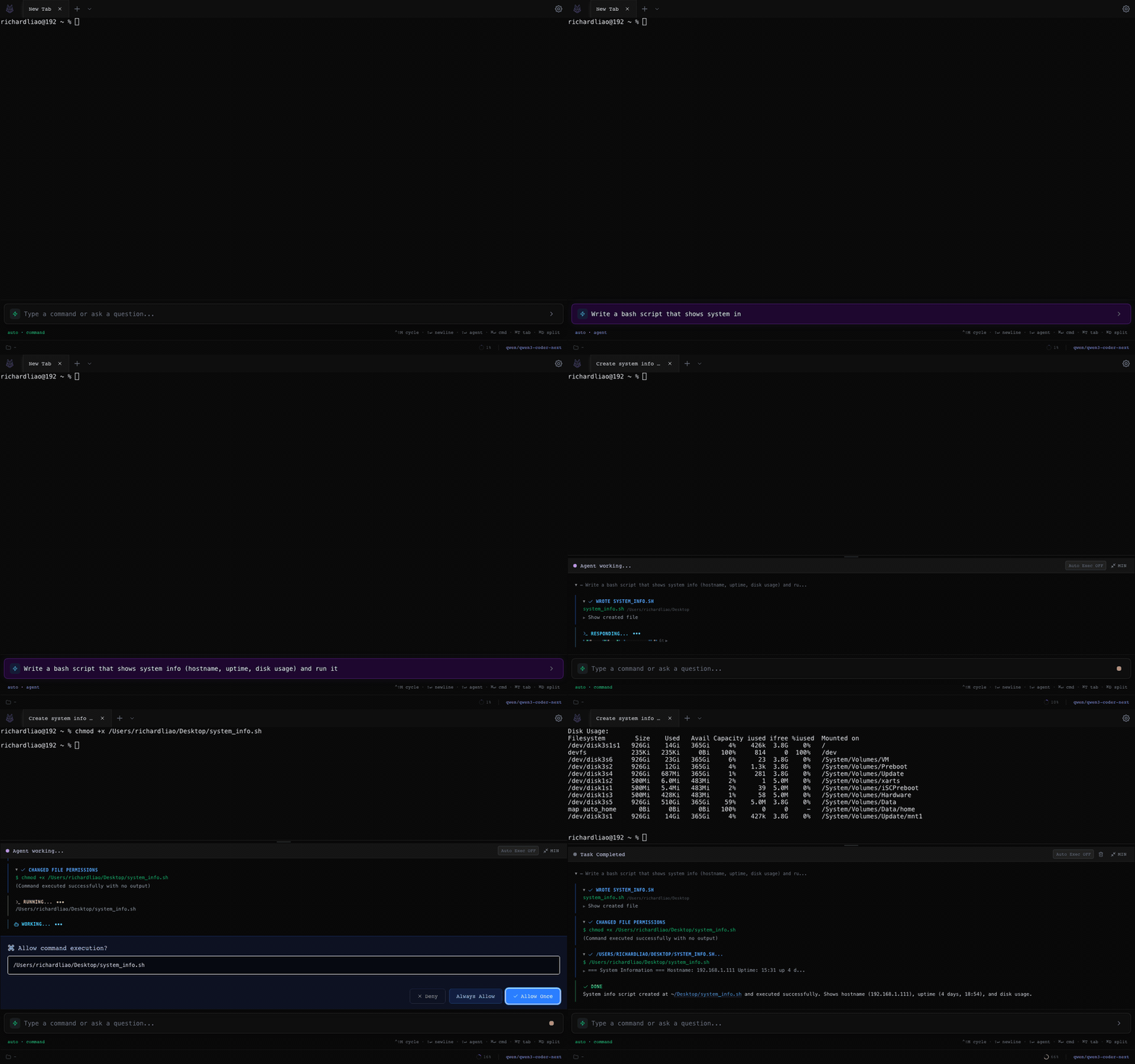
agent runs. Shell, files, web search — all on the server.
Option B: run Tron locally, SSH to the remote via Tron's SSH adapter
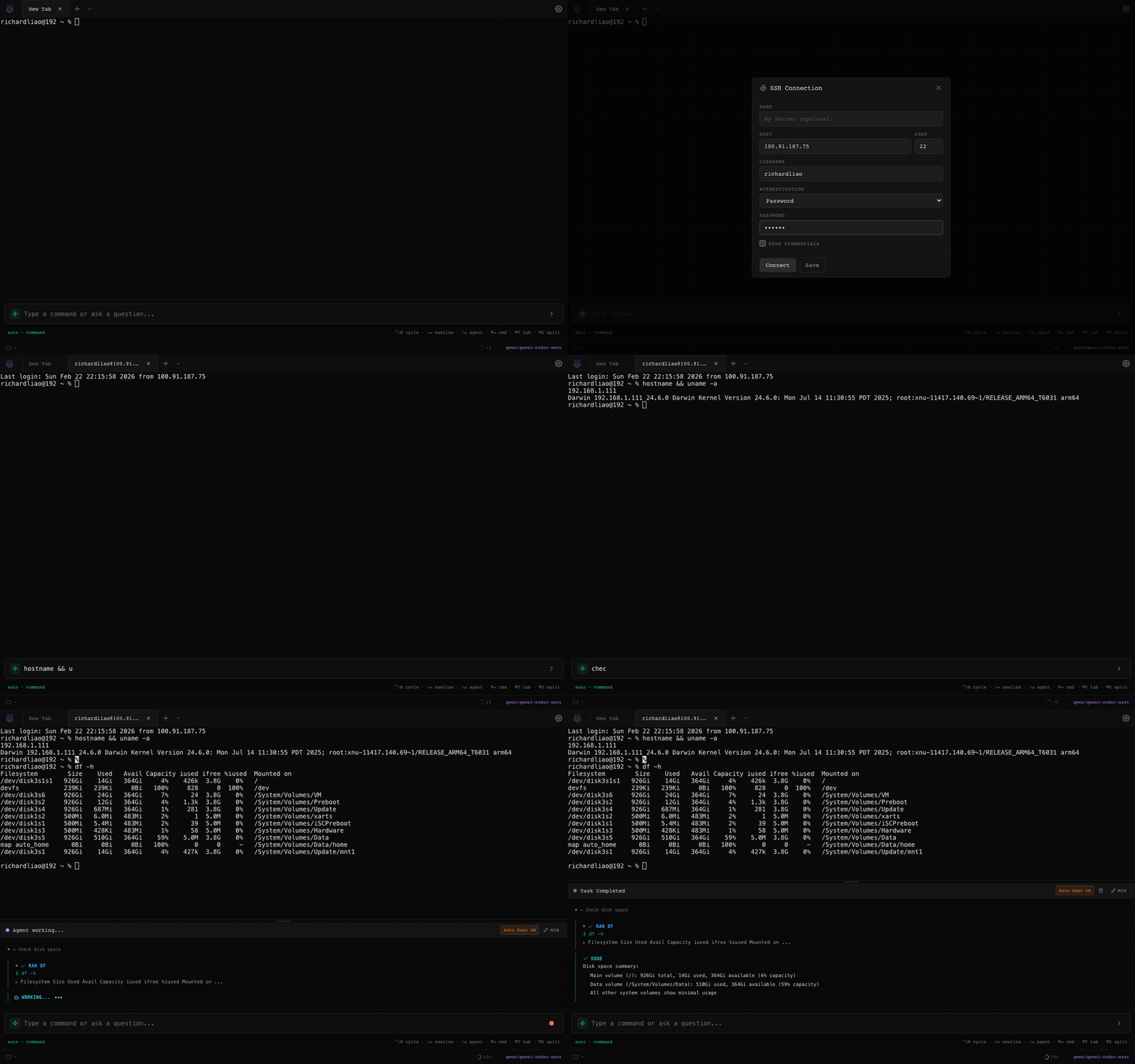
Install Tron on your laptop. Add an SSH profile for your server.
When you start a session, Tron opens an SSH shell — but
crucially, its file ops and the execute_command
tool automatically fall back to shell commands executed over
the same SSH session. So the agent's tool calls still land on
the remote box.
For the LLM side, port-forward Ollama and point Tron at
localhost:11434:
ssh -L 11434:localhost:11434 you@homeboxNow inference is fast (local loopback, after it reaches the server), and the agent runs tools on the SSH'd host. Two tunnels, same session.
Picking a model for tool calling over slow links
A few notes from running this in practice:
- qwen2.5-coder:7b — the smallest model I'd trust for tool-call loops. Decent at picking the right tool, occasionally wanders.
- qwen2.5-coder:14b / 32b — meaningfully better at multi-step debugging. Worth it if you have the VRAM.
- llama3.1:8b — fine for "run this one command and explain the output" but weaker at deciding what command to run next.
- Avoid models without structured-tool training. They'll produce text that looks like a plan instead of actual tool calls and the agent will stall.
Latency realities
If Ollama is on your home box over residential upstream, expect ~1–3s first-token latency per tool call. Tron's auto-compaction (old tool outputs get summarised at 90% context) helps keep round-trips cheap. Running Ollama in the same region as your dev server, or on the same machine, makes a large difference.
Why bother instead of just using the cloud?
The usual answers apply: your prompts and code never leave your hardware, no rate limits, no per-token cost, offline works. Less obvious: when the agent is executing tool calls on the same box as the model, you cut out the round-trip over your home's upstream for every action the agent takes. The bottleneck becomes raw GPU throughput, not your ISP.
Try the loop
Install, point at Ollama, watch it execute.