Run Claude Code on iPad in a Browser (No Mac App)
Most iPad coding setups still depend on a Mac sitting awake somewhere. Here's how to skip that and use an AI agent directly from Safari.
If you've looked at running Claude Code on an iPad, you've probably hit the same wall. The polished options — Termly, Happy Coder, Moshi, Anthropic's own Remote Control — all assume a Mac at home acting as the always-on relay. The iPad is just a remote display.
That's fine until your Mac sleeps, loses its tunnel, or you're somewhere without one at all. The answer isn't another App Store install. It's to run the terminal itself on whatever server you're already SSH-ing into, and point Safari at it.
What this actually looks like
Tron has a web-server mode. You run it on any Linux box, VPS, or your home server — the same machine your code lives on — and it exposes a terminal, agent overlay, and file browser through a normal HTTPS URL. On your iPad you just open Safari. No app, no keychain sync, no middleware.
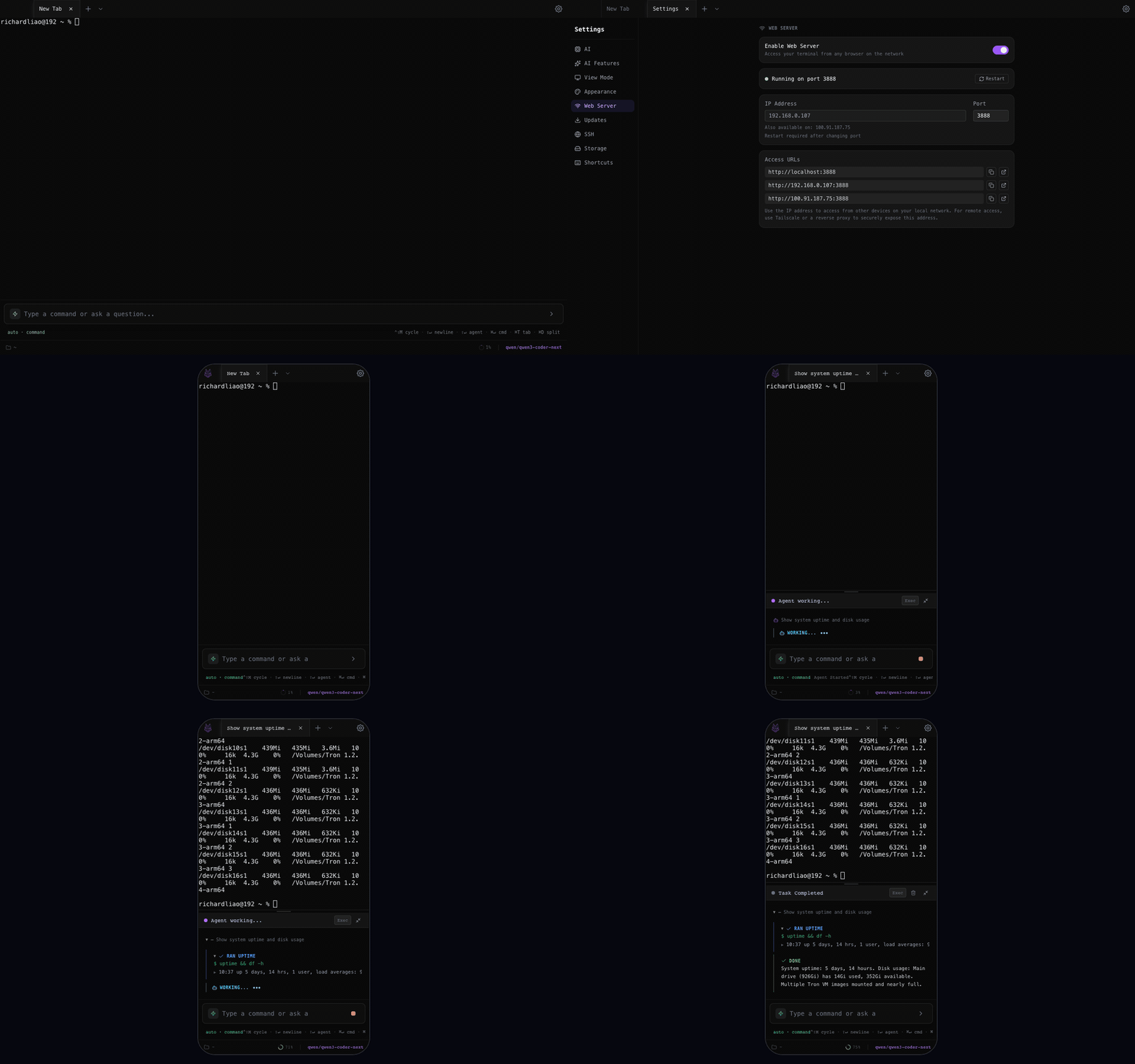
- The AI agent runs where the shell runs — not on a middleman Mac.
- Tabs, split panes, and SSH profiles survive page reloads.
- Touch scrollback, virtual-keyboard resize, and paste fallbacks work out of the box.
Setup in five minutes
On the box you want to code on:
git clone https://github.com/Shadowhusky/Tron.git
cd Tron
npm install
npm run build:web
npm run start:web   # binds :3888 by default
On your iPad, open http://your-server:3888. That's it —
you'll see the same UI as the desktop app: tabs, a context bar, agent
overlay, SSH modal.
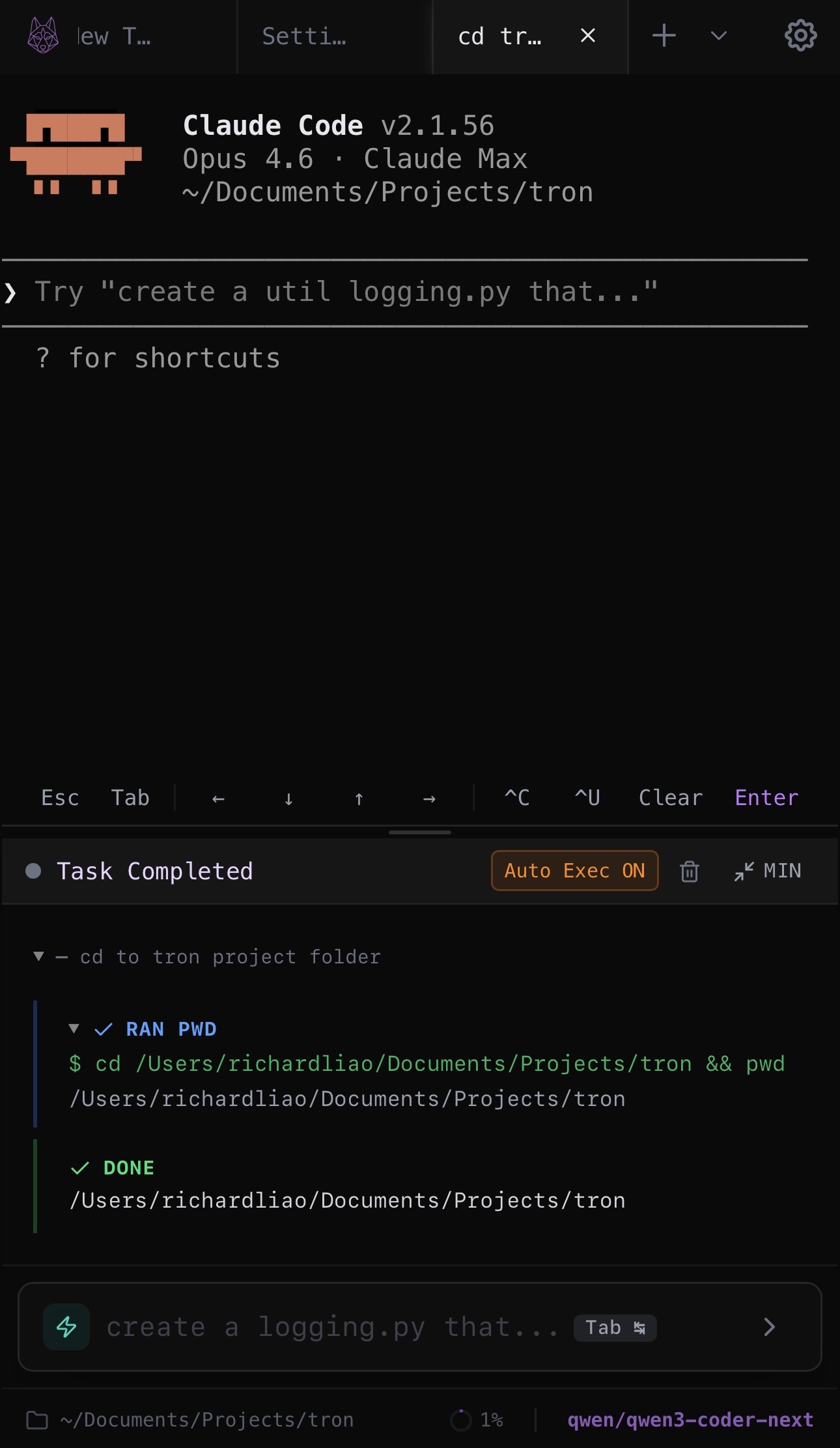
In Settings > AI, pick a provider. You can bring your own key for Anthropic, OpenAI, DeepSeek, or point at a self-hosted Ollama / LM Studio endpoint on the same box. The agent never touches a third-party server you haven't explicitly configured.
Getting to it from outside your network
Two sane options:
- Tailscale. Install on the server and the iPad. Your MagicDNS name becomes the URL. Zero config, end-to-end encrypted, no public port.
-
Cloudflare Tunnel.
cloudflared tunnelfrom the server to your own domain. Gets you TLS and a stable hostname without opening anything up on your router.
Either way, the agent stays on your hardware. Anthropic/OpenAI only see the prompts you send; they never see your shell.
What about when you're offline?
Point the AI config at Ollama on the same machine. Something like
qwen2.5-coder:7b or llama3.1:8b handles the
tool-calling loop well enough for routine tasks. Latency is better
than anything routed through a cloud provider because the whole loop
— LLM, exec, filesystem — is local to the box.
Trade-offs to be honest about
A real Mac relay gets you macOS-specific tooling (Xcode, the Apple Simulator) on the iPad. A browser-based self-hosted terminal doesn't — it's a Linux/Unix session, not a full macOS desktop. If you're a Swift developer who needs the iOS simulator, keep your existing setup. If you're a Python / Node / Go / Rust developer whose work already lives on a Linux box, this is simpler, free, and doesn't depend on a machine staying awake at home.
Try it
Tron is MIT-licensed. Run the desktop app, or the web server, or both.